
Dancheong-style pattern generator
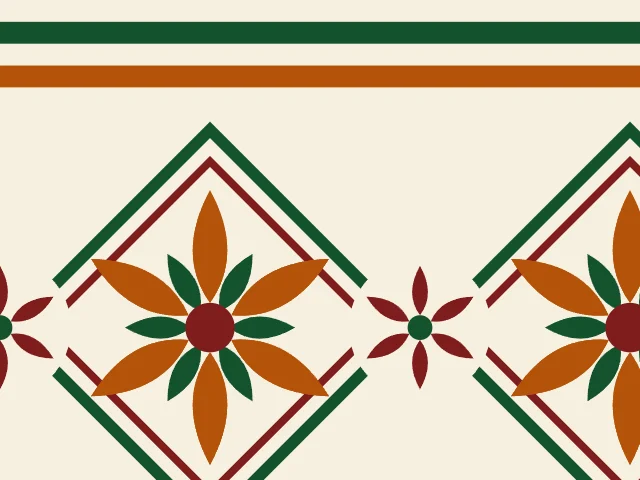
Bright stripes and lotus medallions in the spirit of Korean temple paintwork. Choose the number of petals, how many stripes make up the band, whether a nested diamond frames the lotus and whether small lotuses sit between, and export a seamless pattern as SVG, PNG or CSS.
Open in the generator How it works

Paint for wooden eaves
Dancheong is the traditional painted decoration of Korean wooden buildings such as temples and palaces. The name joins words for red and for blue-green, and the paintwork covers eaves, beams and brackets in bands of strong color. Blue, red, yellow, white and black are the classic colors.
Typical dancheong combines bands of parallel stripes with medallions of lotus flowers and other motifs. This generator makes a panel in that spirit. It does not copy any one temple, and it does not follow the strict rules of real dancheong painting.
How the generator builds them
Ornamatic lays a band of parallel stripes across the top of the cell, in the three colors in turn. Below it sits a lotus: a ring of pointed petals with a shorter ring turned half a step between them, and a bright center. The lotus can be framed by nested diamonds, and a small six-petalled lotus can sit between neighboring medallions.
The panel repeats in a rectangle, so the pattern is seamless. A taller cell gives the medallions more room.
What you can adjust
- Petals — from 5 to 14 petals in the lotus.
- Stripes — from one to five stripes in the band.
- Medallion size — the size of the lotus and its frame.
- Frame — the nested diamonds, on or off.
- Side lotuses — the small lotuses between medallions, on or off.
- Period proportions — the height of the cell, in advanced mode.
- Colors — a ground and three colors; any palette.
Export and use
Download the seamless tile as PNG or SVG, or copy a ready CSS background. The patterns you create are free to use, personally or commercially.
Open one of these in the generator



See also
-
 Cosmati pavementsA large disc and four small ones, ringed with mosaic triangles, in a field of tesserae.
-
 Chinese latticesWindow lattices: the irregular ice-ray cracks and the diamond lattice with double bars.
-
 Mandalas and rosettesRadial rosettes built from rings of petals, dots, diamonds and triangles, on a seamless lattice.